|
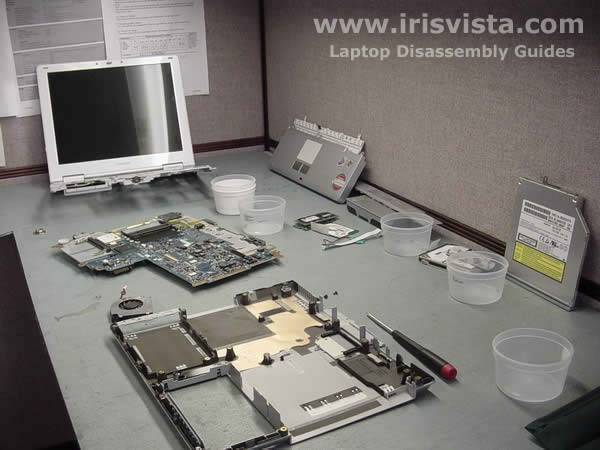
Toshiba Portege A100 disassembly.
|
|
|
 |
STEP 1
Unlock and remove the computer battery. |
| |
|
 |
STEP 2
There is only one screw on the bottom of the laptop. The screw is securing the palmrest. Remove the screw.
|
| |
|
 |
STEP 3
Lift up one edge of the keyboard securing strip with a sharp object. Continue removing the strip with your fingers. Do not pry the strip too much or you can break it. |
| |
|
 |
STEP 4
Remove the keyboard securing strip. |
| |
|
 |
STEP 5
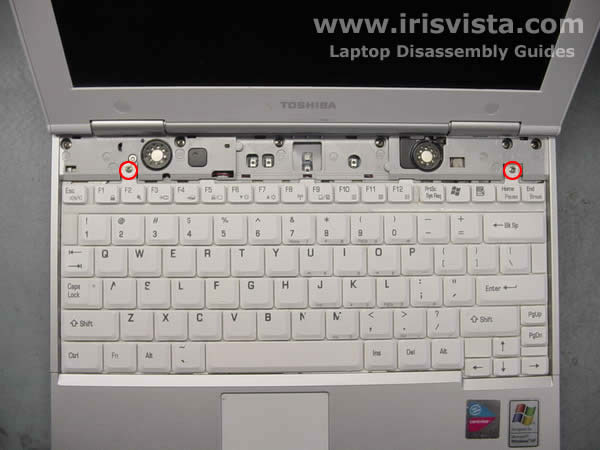
Remove two screws securing the keyboard and lift it up to get access to the keyboard cable. |
| |
|
 |
STEP 6
Carefully open the keyboard connector on the system board and remove the cable. Open the connector first or you can damage the cable. |
| |
|
 |
STEP 7
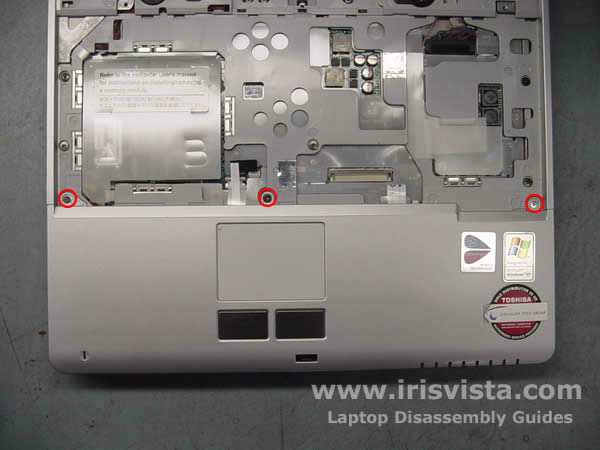
Remove three screws securing the palmrest. |
| |
|
 |
STEP 8
Start removing the palmrest with your fingers. It would be a little be tough. |
| |
|
|
STEP 9
Remove the palmrest. |
| |
|
 |
STEP 10
Disconnect two antenna cables from the wireless card and remove the card.
I'm not going to remove the modem card. If you need to remove it, unscrew two screws, lift up the modem and disconnect the cable.
Remove one screw securing the hard drive cover.
|
| |
|
 |
STEP 11
Remove the hard drive cover. |
| |
|
 |
STEP 12
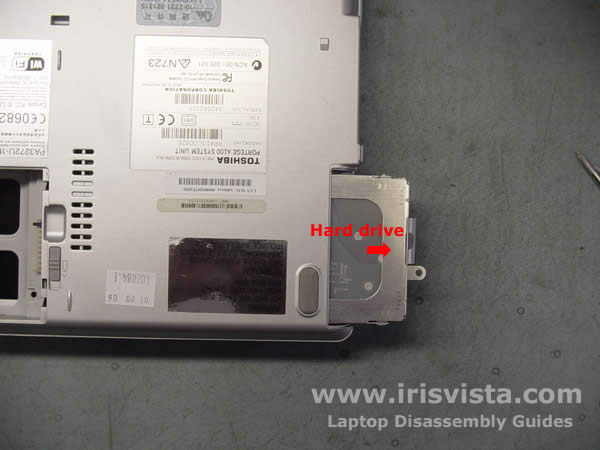
Slide the hard drive to the left to disconnect it from the system board.
Remove the hard drive from the laptop. |
| |
|
 |
STEP 13
Remove both memory modules and disconnect a connector on the system board (not sure exactly what is that). |
| |
|
 |
STEP 14
Disconnect the CMOS (RTC) battery cable on the system board and remove the battery. |
| |
|
 |
STEP 15
Remove one screw securing the DVD drive. |
| |
|
 |
STEP 16
Open the DVD drive with a paper clip. |
| |
|
 |
STEP 17
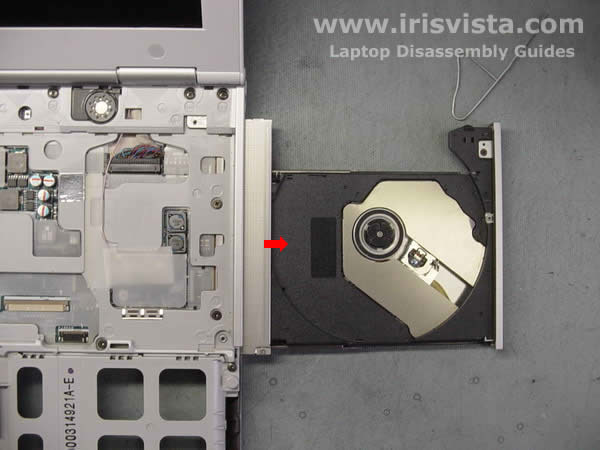
Open the DVD drive and carefully pull it from the laptop.
|
| |
|
|
STEP 18
Remove all screws marked with red circles. |
| |
|
 |
STEP 19
Lift up the top cover and LCD screen assembly. |
| |
|
 |
STEP 20
Remove two screws securing the system board and disconnect the CPU fan cable. |
| |
|
 |
STEP 21
Lift up the system board from the laptop base and remove it. |
| |
|
 |
STEP 22
I do not need to remove the modem so I'll leave it connected to the system board. |
| |
|
 |
STEP 23
If you need to remove the laptop heatsink, you can do it now. |
| |
|
 |
STEP 24
Remove two screws from the CPU fan. |
| |
|
 |
STEP 25
Remove the CPU fan and replace it. I found that a CPU fan from Toshiba Portege 3500 will fit fine into this model. |
| |
|
 |
STEP 26
Toshiba Portege A100 is disassembled. |
| |
|
| |
|