|
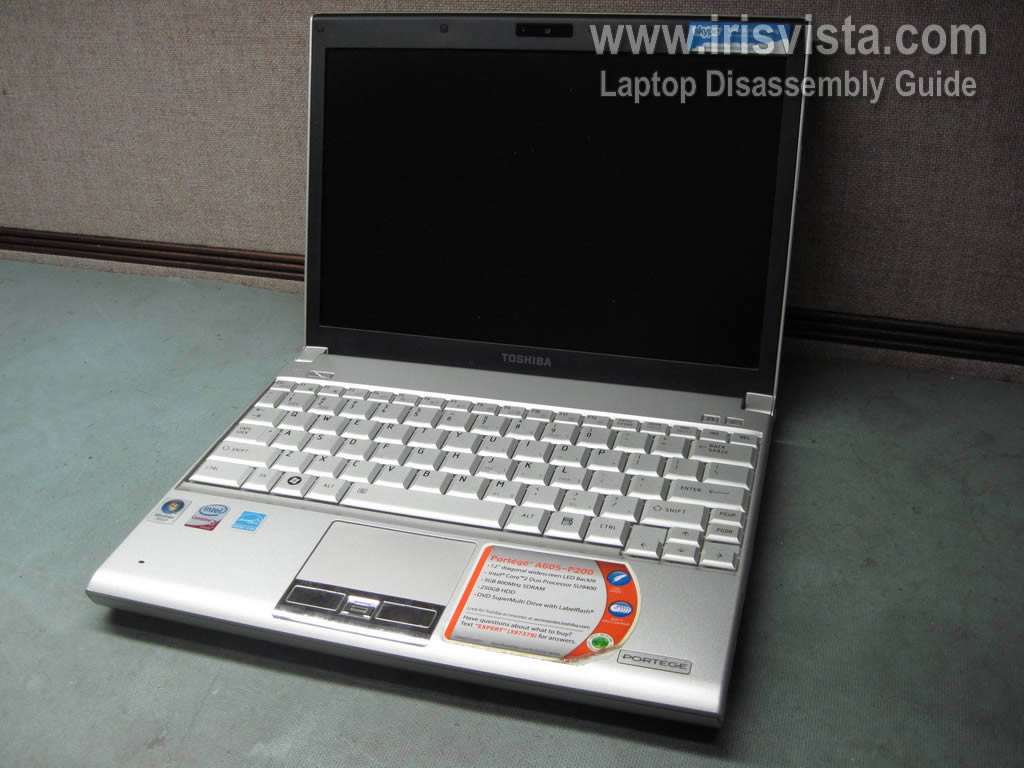
Toshiba Portege A600, A605 disassembly. |
|
|
 |
STEP 1
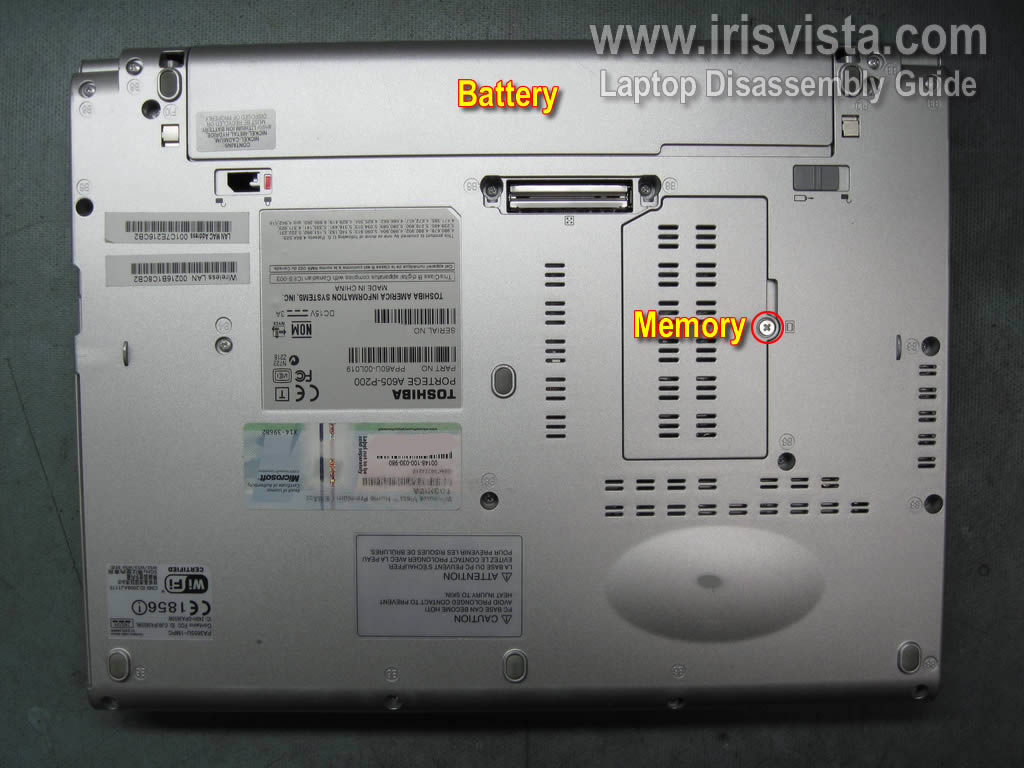
Start laptop disassembly with removing the battery.
In Portege A600/A605 the memory module can be access though the door on the bottom.
Simply remove one screw securing the door, remove the door and you'll see the memory module.
In my case it's not necessary to remove the memory module, so I leave it connected to the motherboard.
|
| |
|
 |
STEP 2
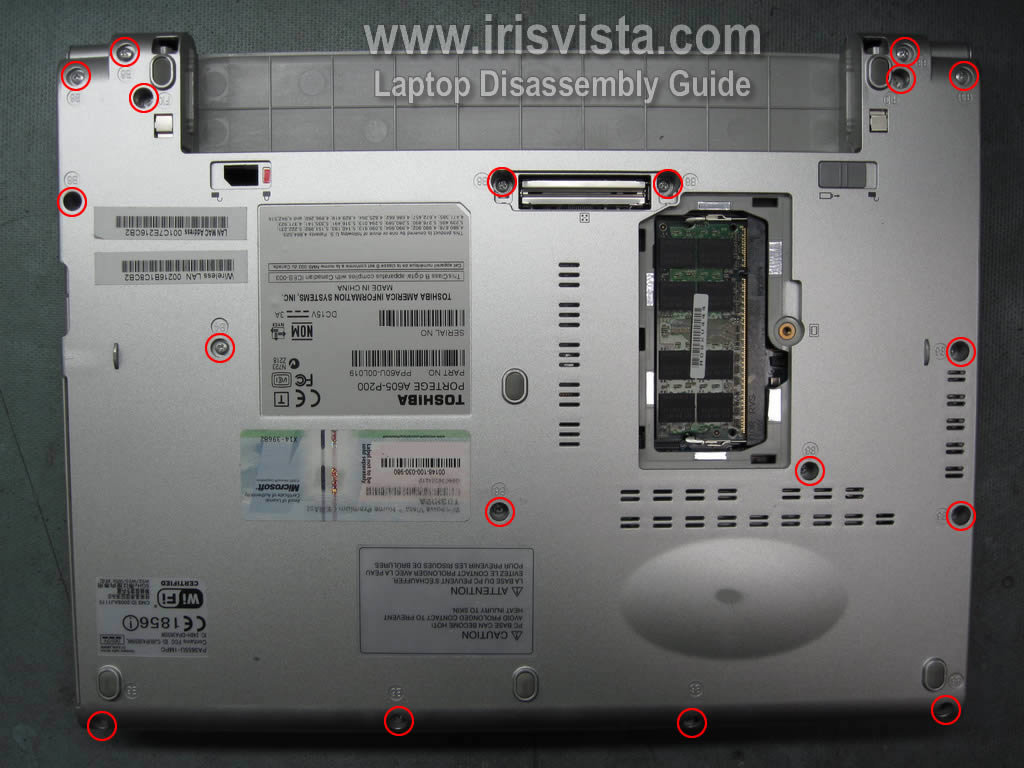
Remove all screws from the bottom of the laptop.
|
| |
|
 |
STEP 3
Start lifting up the bottom cover as it shown on the picture. |
| |
|
 |
STEP 4
Continue separating the bottom cover from the laptop.
There are some latches securing the cover. You'll have to work with your fingers to release those latches. |
| |
|
 |
STEP 5
The bottom cover has been removed. |
| |
|
 |
STEP 6
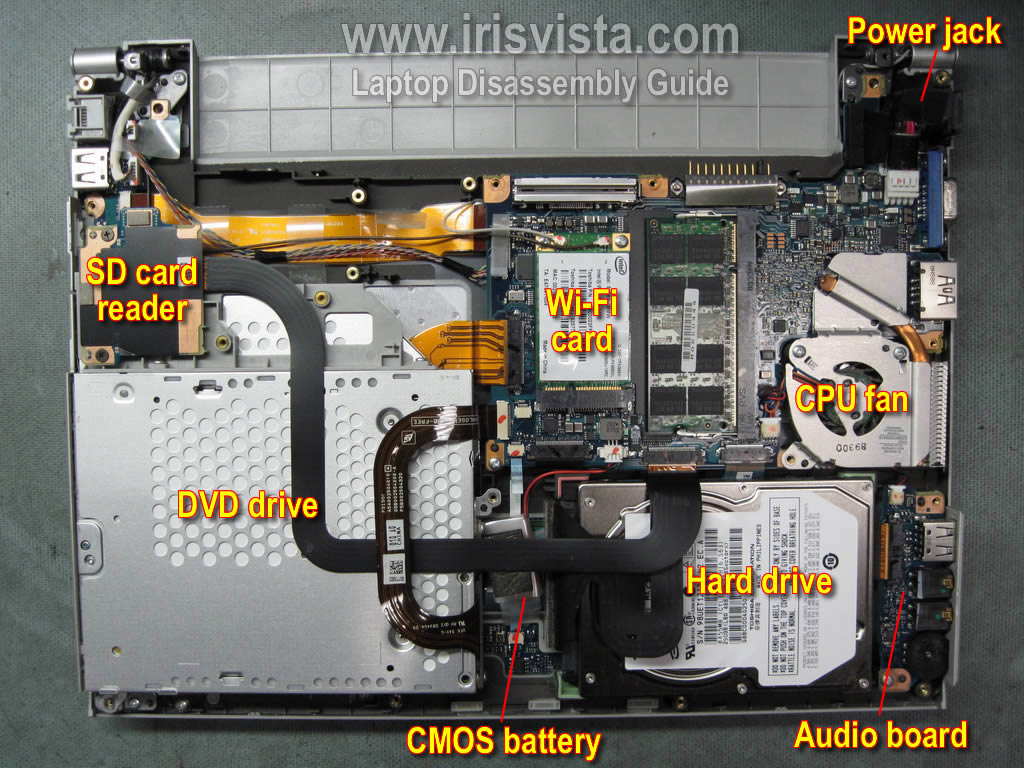
When the bottom cover is removed you get access to the following components:
CD/DVD drive, hard drive, wireless card, CMOS battery, SD card reader, CPU fan with heat sink and DC power jack. |
| |
|
 |
STEP 7
Remove two screws securing the cooling fan assembly.
Disconnect the fan cable from the motherboard. |
| |
|
 |
STEP 8
Remove cooling fan assembly which includes the CPU fan and heat sink.
In my case the cooling module was clogged with dust and because of that the laptop was overheating and shutting down on its own.
After cleaing the cooling module with air compressor, the problem was fixed.
By the way, in a Portege A600/A605 laptop the CPU is soldered to the motherboard and cannot be removed and replaced. |
| |
|
 |
STEP 9
Lift up the hard drive and disconnect the hard drive cable. |
| |
|
 |
STEP 10
Now you can remove the hard drive.
As you see, it's a SATA hard drive.
|
| |
|
 |
STEP 11
Remove two screws securing the SC card reader. |
| |
|
 |
STEP 12
Put the SC card reader aside and remove one screw securing the CD/DVD drive. |
| |
|
 |
STEP 13
Remove two screws securing the DVD drive connector board on the back of the drive. |
| |
|
 |
STEP 14
Disconnect and remove the CD/DVD drive. |
| |
|
 |
STEP 15
In a Portege A600/A605 laptop the DC power jack is not soldered to the motherboard.
You can unplug the power jack and replace it with a new one without soldering. |
| |
|
| |
|