Toshiba Laptop and Notebook Disassembly Manuals

TOSHIBA SATELLITE P10
Remove laptop hard drive

Please make a donation if you find my guides useful.
It takes a few hours to create one disassembly guide and only a few minutes to make a donation. Thank you.
 
 
Toshiba Satellite A105. Remove replace FL inverter and LCD screen

Toshiba Satellite P10 and P15. How to access and remove laptop hard drive.


A few things to know before you start taking your laptop apart

Post your comments, tips and suggestions here

Click on any picture to enlarge.

Laptop Parts Expert

Laptop Parts Expert

Parts for Toshiba, IBM, HP, Compaq, Dell and other brands.

Free ground shipping on all orders over $79


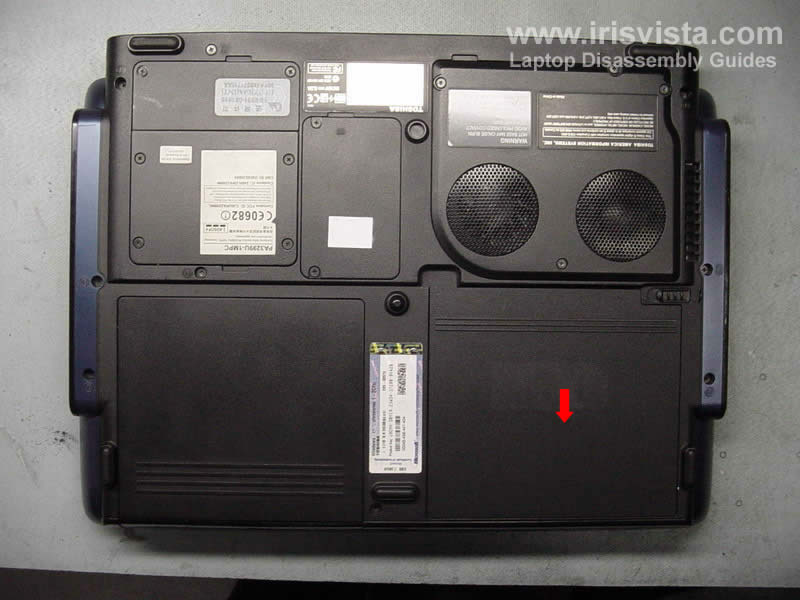
Toshiba Satellite P10 P15 disconnect battery

STEP 1

Turn over the laptop and remove the battery.


  Need spare parts for Satellite P10 laptop? Search here.
Toshiba Satellite P10 P15 remove optical drive

STEP 2

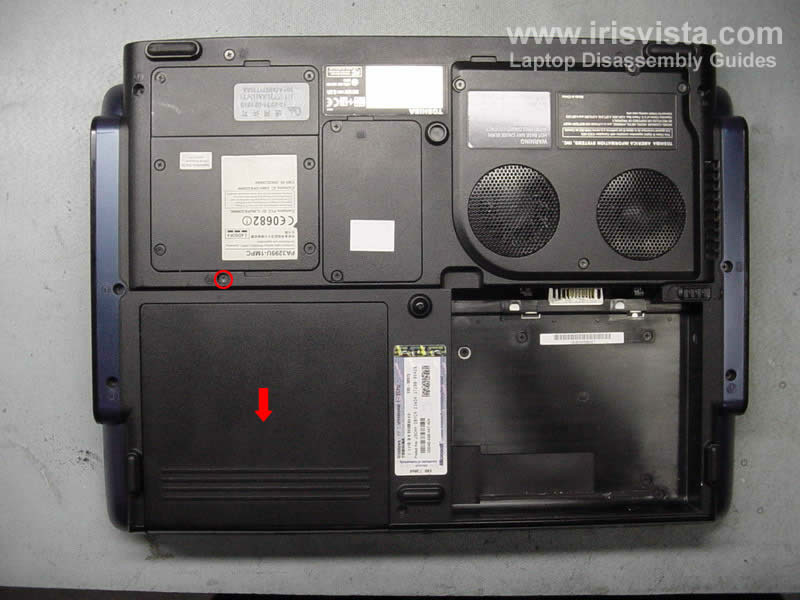
In this model the hard drive is located under the CD/DVD drive and you have to remove it to access the hard drive.
The optical drive is secured by one screw. Remove the screw and slide the drive from the laptop.

   
Toshiba Satellite P10 P15 remove metal plate

STEP 3

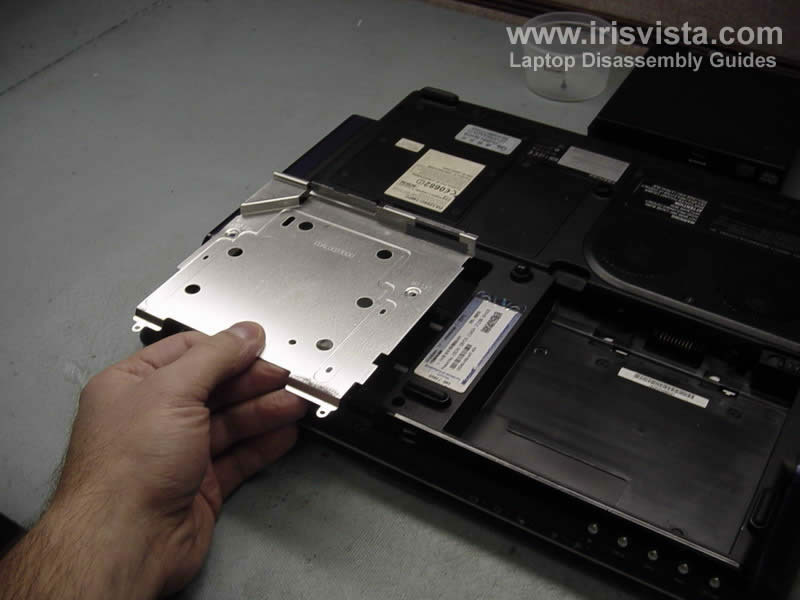
The hard drive is hidden under a metal plate.
Remove four screws securing the plate.

   
Toshiba Satellite P10 P15 access hard drive

STEP 4

Lift up the plate and remove it from the laptop.

   
Toshiba Satellite P10 P15 remove hard drive STEP 5

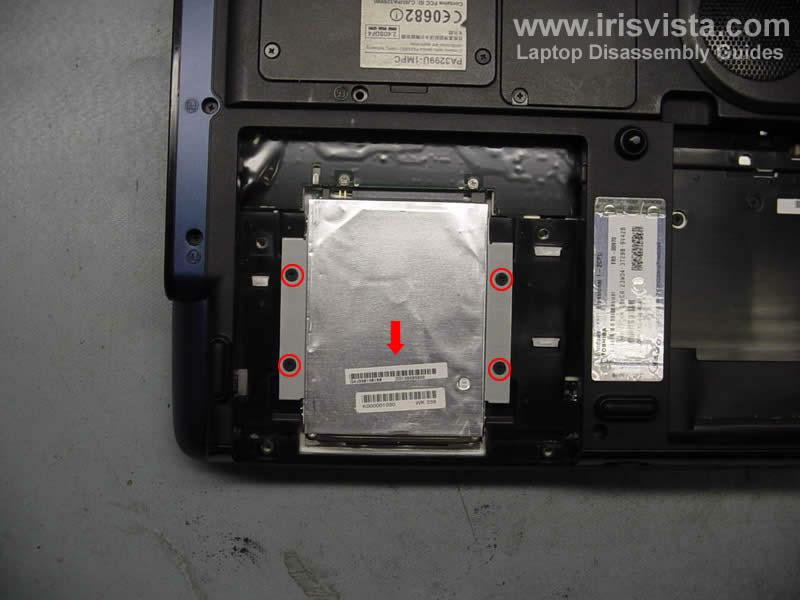
Now you can access the hard drive. Remove four screws securing the hard drive.
To disconnect the hard drive from the connector on the system board, slide the hard drive down.
Lift up and remove the hard drive.
If you plat to replace the hard drive, you'll have to transfer the foil covering the drive and the brackets to a new drive.

   
Repair laptop and notebook yourself


Home Page


Terms and Conditions | Privacy Policy