|
Toshiba Satellite R10, R15 disassembly. |
|
|
 |
STEP 1
Start laptop disassembly from the bottom.
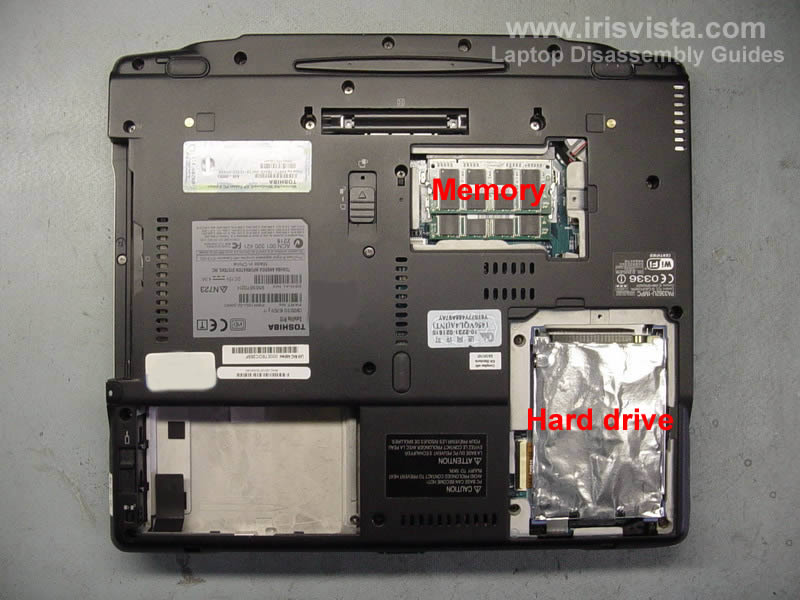
Remove the battery. Remove the hard drive and memory covers.
Open the DVD drive lock (1) and then slide the DVD drive out (2). |
| |
|
 |
STEP 2
Remove both memory modules.
Carefully lift up the hard drive and disconnect the cable from the hard drive. |
| |
|
 |
STEP 3
In this model the hard drive connects to the motherboard via a flat ribbon cable.
Unlock the cable connector on the motherboard, pull the cable from the connector and remove it. |
| |
|
 |
STEP 4
Remove all marked screws from the bottom cover. |
| |
|
 |
STEP 5
Lift up one side of the keyboard cover with a flathead screwdriver.
Continue removing the cover with your fingers. |
| |
|
 |
STEP 6
The keyboard is secured to the case by two screws. Remove both screws.
|
| |
|
 |
STEP 7
Lift up the keyboard. Be careful it's still attached to the motherboard via a flat cable.
Open up the cable connector on the motherboard, pull the keyboard cable and remove the keyboard.
Open up the touch pad connector and pull the cable from it (bottom arrow). |
| |
|
 |
STEP 8
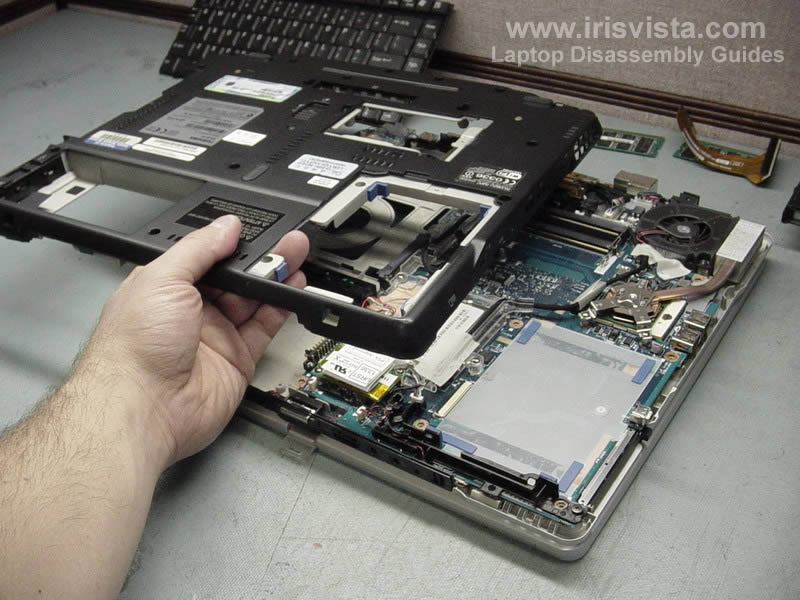
Turn the laptop upside down and carefully lift up the bottom cover. |
| |
|
 |
STEP 9
Laptop without bottom cover. |
| |
|
 |
STEP 10
Removing cooling fan.
Remove two screws securing the fan to the laptop case. Disconnect the fan cable on the motherboard and lift up the fan. |
| |
|
 |
STEP 11
Remove tree screws securing the heat sink to the motherboard and lift up the heat sink.
Clean up the old thermal grease from the processor and the heat sink.
NOTE: do not forget to apply new thermal grease when you assemble the laptop back. |
| |
|
 |
STEP 12
Remove two screws securing the modem card and carefully lift up the modem to disconnect it from the motherboard (the connector is located under the modem).
Unplug the modem cable shown with a red arrow.
Remove one screw and release the grounding cable. |
| |
|
 |
STEP 13
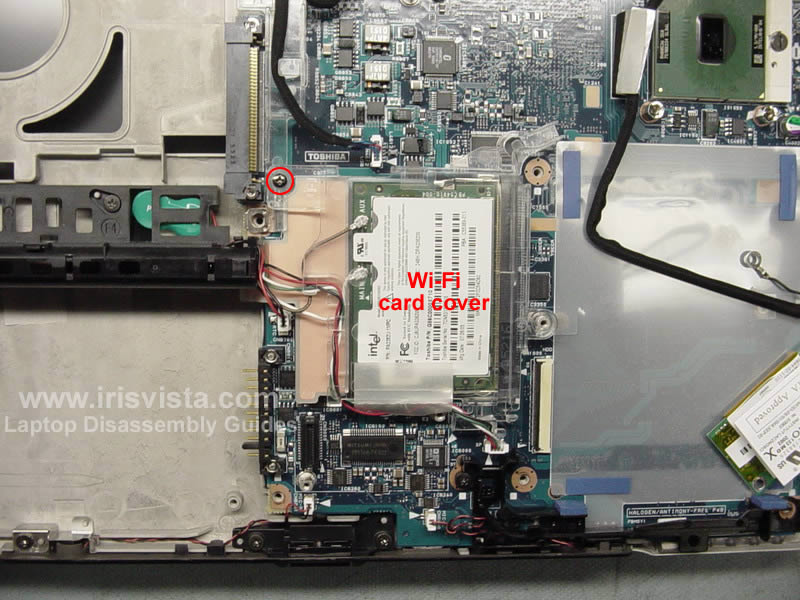
Remove one screw and remove the wireless card cover. This cover is made of clear plastic and it's hard to see it on this picture. |
| |
|
 |
STEP 14
Unsnap both wireless antenna cables from the wireless card, spread the socket latches and remove the card.
Unplug the RTC (CMOS) battery cable from the motherboard.
Unplug the speaker cable from the motherboard. |
| |
|
 |
STEP 15
Remove two screws securing the tablet PC pen holder and remove it.
The RTC battery is attached to the holder. |
| |
|
 |
STEP 16
Unplug the microphone and internal speaker cables.
Remove two screws from the black cable holder. Remove the holder. |
| |
|
 |
STEP 17
Remove one screw securing the switch board.
Unplug the switch board cable and remove the board. |
| |
|
 |
STEP 18
The harness is connected to the motherboard via five different connectors.
Carefully unplug all five connectors.
Remove two screws securing the harness holder.
Place the holder with cables as it shown on the next picture. |
| |
|
 |
STEP 19
Unplug and remove the DC-IN power jack.
Unplug two cables shown with red arrows. |
| |
|
 |
STEP 20
Remove one screw securing the modem cable and unplug the cable from the motherboard.
Remove the modem cable. |
| |
|
 |
STEP 21
Remove one screw securing the motherboard to the laptop case. |
| |
|
 |
STEP 22
Carefully remove the motherboard from the case. |
| |
|
 |
STEP 23
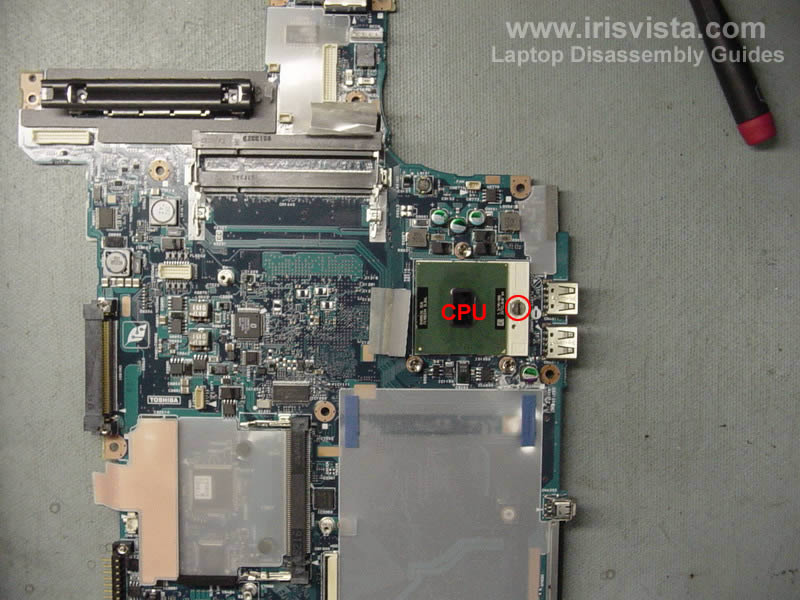
Unlock the processor socket and remove the CPU. |
| |
|
|
|