|
Toshiba Tecra M9 memory upgrade.
In this guide I explain how to remove the keyboard and replace the internal memory module. |
|
|
 |
STEP 1
Turn off the laptop, unplug AC adapter and remove battery.
The first memory slot can be accessed from the bottom of the laptop. In my case this memory slot wasn't occupied. |
| |
|
 |
STEP 2
The second memory slot is located under the keyboard, so we'll have to remove the keyboard.
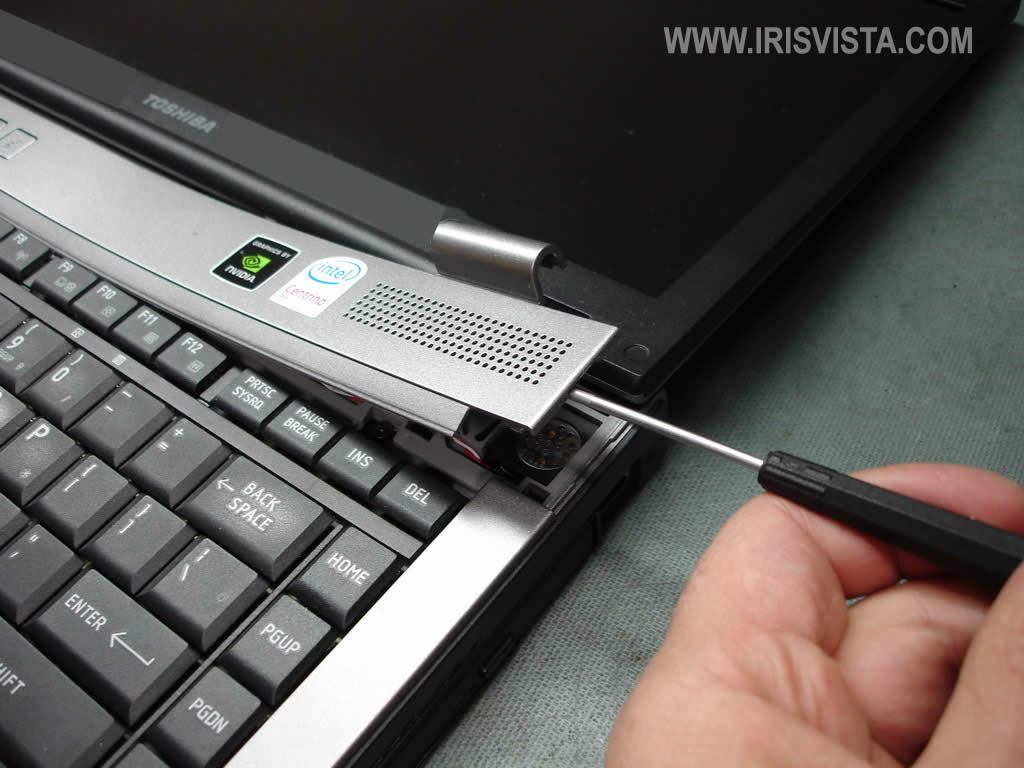
Insert a small flathead screwdriver between the hinge cover and laptop case and carefully lift it up.
|
| |
|
 |
STEP 3
Continue separating the hinge cover from the laptop with your fingers.
Remove the cover. |
| |
|
 |
STEP 4
Remove two screws securing the keyboard. |
| |
|
 |
STEP 5
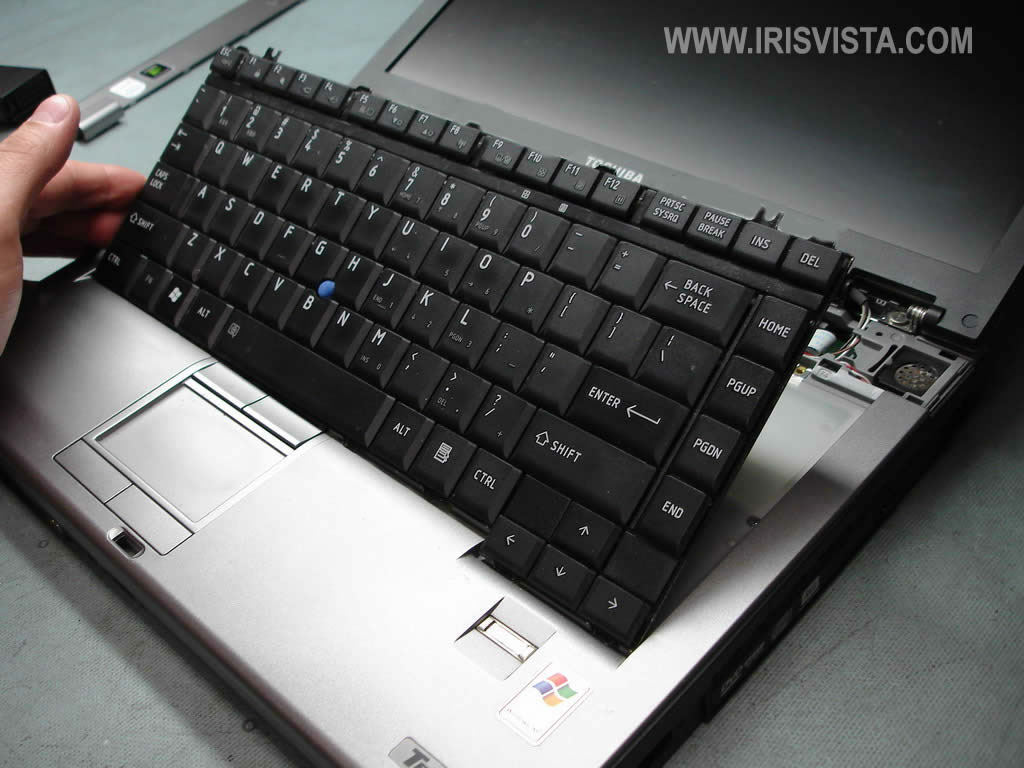
Lift up the keyboard and place it upside down on the palm rest.
|
| |
|
 |
STEP 6
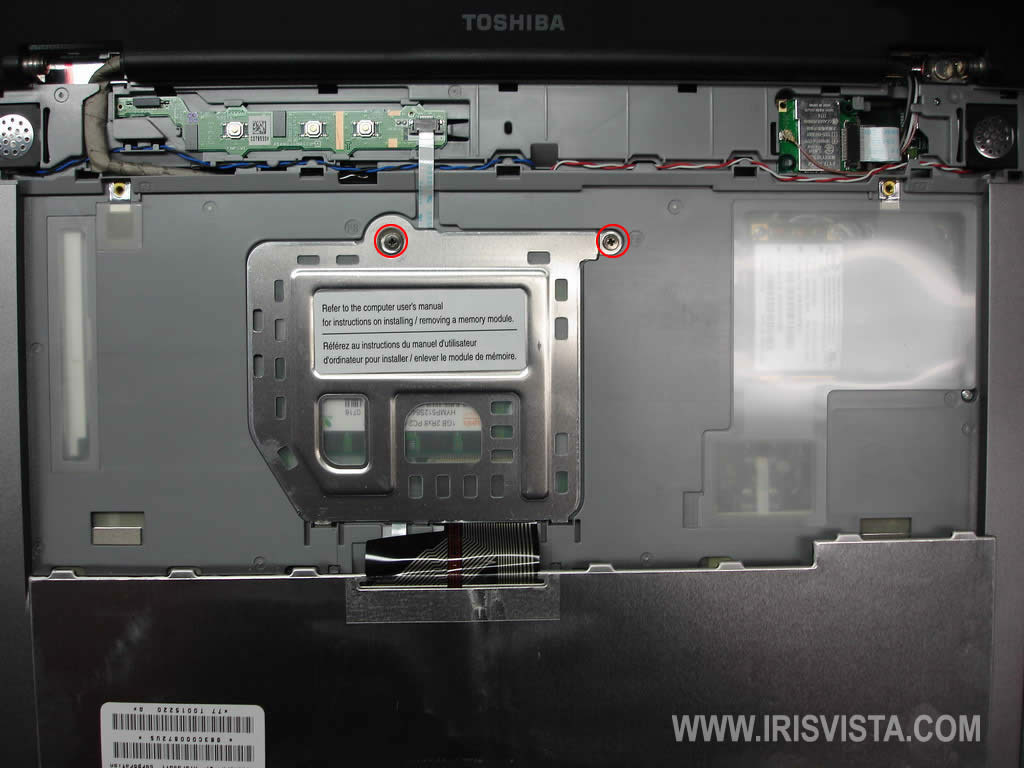
Remove two screws from the memory cover and remove the cover. |
| |
|
 |
STEP 7
Now you can access the internal memory slot and replace or upgrade the memory module.
Toshiba Tecra M9 laptop will take up to 4GB RAM total. You can install un to 2GB RAM module into each slot.
Memory type: PC2-5300 DDR2-667 200-pin SODIMM |
| |
|
|
|