Complete Toshiba laptop disassembly guides and manuals with pictures

TOSHIBA SATELLITE A55
How to remove keyboard

Please make a donation if you find my guides useful.
It takes a few hours to create one disassembly guide and only a few minutes to make a donation. Thank you.
Find another model 
 
A few things to know before laptop disassembly.
 
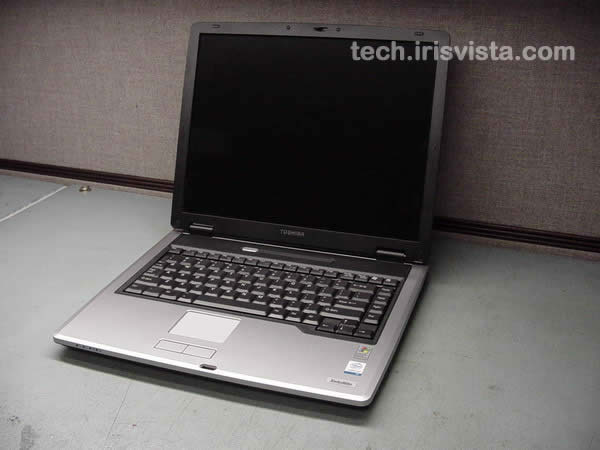
Toshiba Satellite A55 laptop

Removing keyboard from Toshiba Satellite A55 and Satellite A50 laptops.

I made these instructions for a Toshiba Satellite A55 laptop, but they also work for a Satellite A50 which is basically the same unit.


Click on any picture to enlarge.

   
Remove the battery

STEP 1

Turn the laptop upside down.
Remove the battery.

  Need spare parts for Satellite A55 laptop? Search here.
Remove laptop keyboard

STEP 2

Turn the laptop right side up.
Insert a thin object under the keyboard securing strip and lift it up.
Be careful, it may be very tight.

   
Remove notebook keyboard

STEP 3

Remove the keyboard securing strip.

   
Removing laptop keyboard

STEP 4

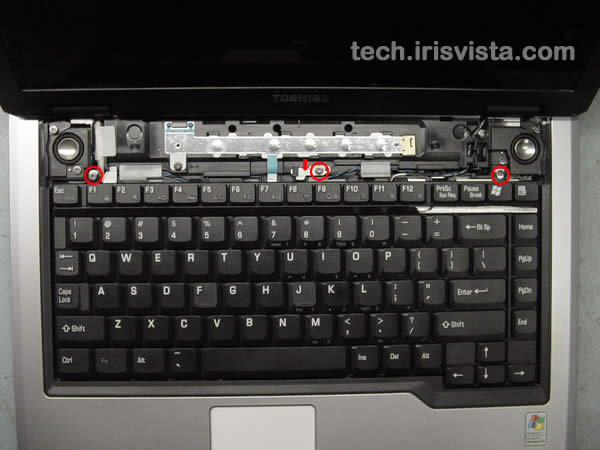
Remove three screws securing the keyboard.
Remove the metal brace in the top center of the keyboard.

   
Disconnect laptop keyboard

STEP 5

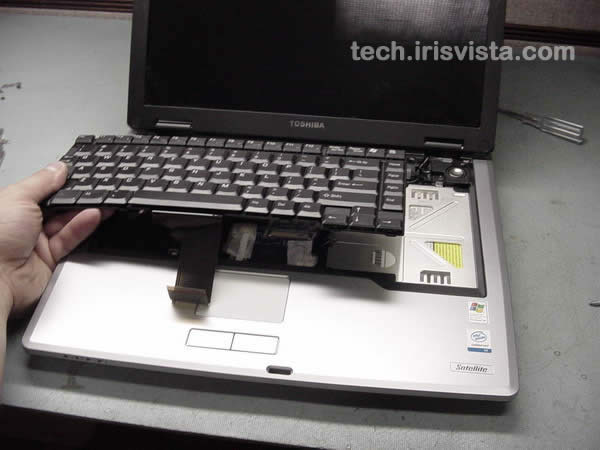
Turn the keyboard over and place it on the palmrest.
Remove two screws securing the metal plate.

   
Disconnect notebook keyboard

STEP 6

Disconnect the keyboard flat cable on the system board.


Replace laptop keyboard

STEP 7

Remove the keyboard.
Now you can replace or clean the keyboard.
Done!

   
Repair laptop and notebook yourself
 
 Find another model


Home Page | Terms and Conditions | Privacy Policy