|
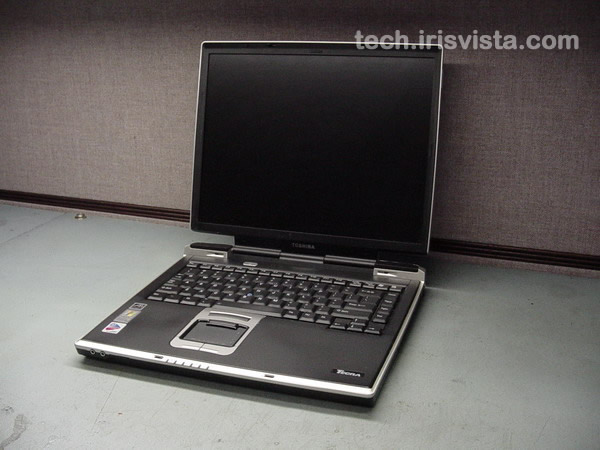
Toshiba Tecra S1 disassembly.
|
|
|
 |
STEP 1
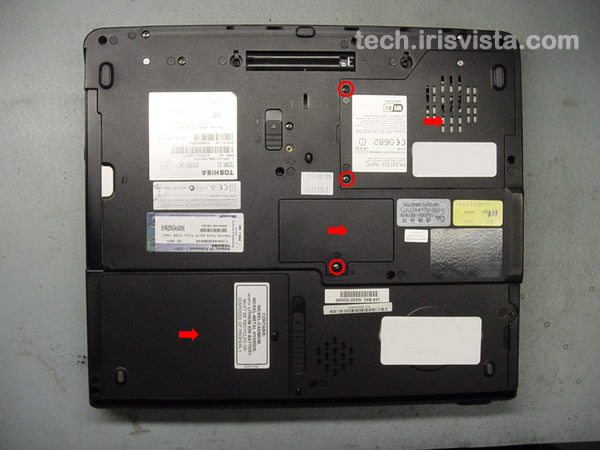
Turn the laptop upside down.
Remove the battery.
Remove three screws securing the memory module cover and the CPU cover.
Remove all covers.
|
| |
|
 |
STEP 2
Remove one screw securing the hard drive cover.
Remove the hard drive.
Remove memory modules.
Remove the DVD drive.
|
| |
|
 |
STEP 3
Loosen four screws securing the CPU cooling module.
Disconnect the fan cable on the system board.
Lift the cooling module off the CPU. |
| |
|
 |
STEP 4
Remove all marked screws on the bottom of the laptop. |
| |
|
 |
STEP 5
Turn the notebook right side up.
Insert a thin object under the securing strip and lift it up.
Be careful, it may be very tight.
|
| |
|
 |
STEP 6
Remove the keyboard securing strip. |
| |
|
 |
STEP 7
Remove two screws securing the keyboard. |
| |
|
|
STEP 8
Disconnect the keyboard flat cable on the system board.
Remove the keyboard.
|
| |
|
 |
STEP 9
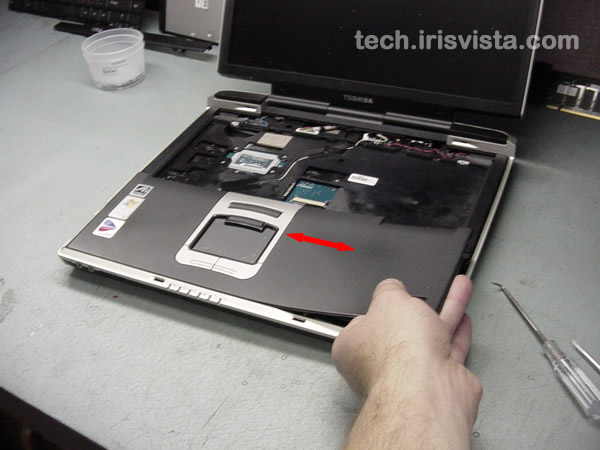
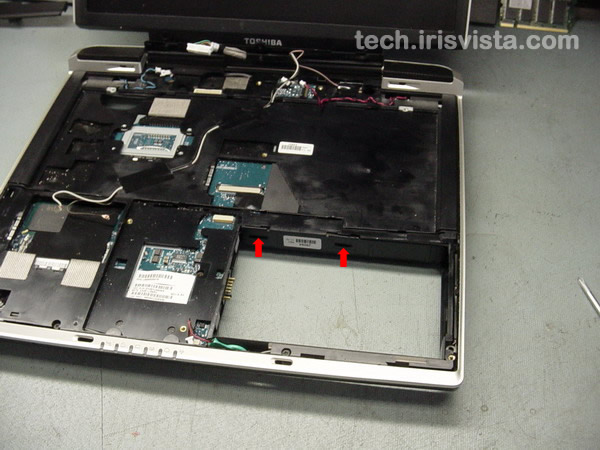
Now the fun begins - removing the palmrest. Try not to break too many plastic clips when you remove it. ;)
First of all, release two plastic latches in the battery bay area.
|
| |
|
 |
STEP 10
Release plastic latches along the top side of the palmrest.
Be careful, it may be very tight.
|
| |
|
 |
STEP 11
Lift off the right side of the palmrest.
Wiggle the palmrest left to right and release latches on the bottom of the palmrest.
It takes some time to remove the palmrest, believe me.
|
| |
|
 |
STEP 12
Turn the palmrest over and disconnect the cable on the system board.
|
| |
|
 |
STEP 13
Remove one screw securing the plastic brace and lift it up.
|
| |
|
 |
STEP 14
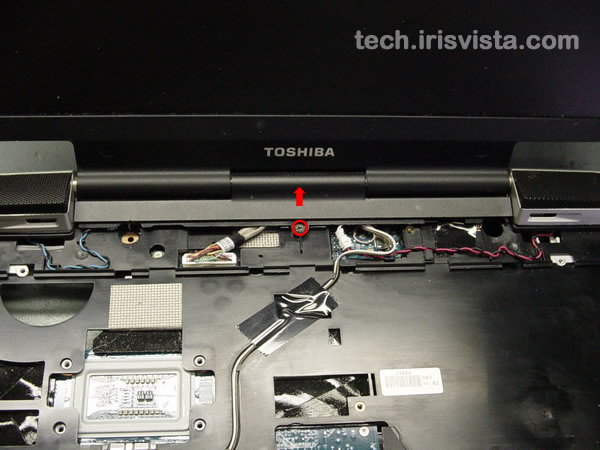
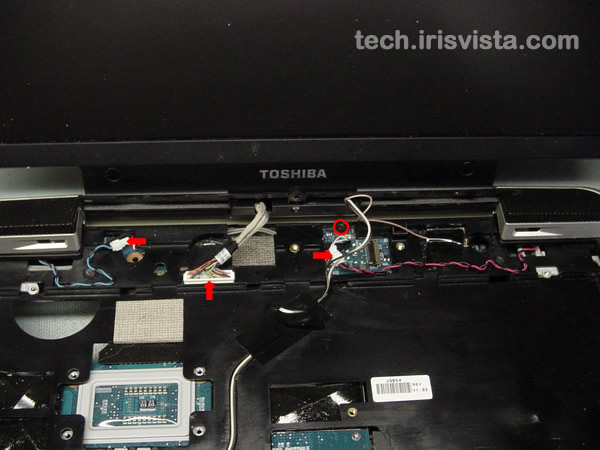
Disconnect left and right speakers.
Disconnect the display cable on the system board.
Remove one screw securing the top cover assembly. |
| |
|
 |
STEP 15
Disconnect the wireless card cables and remove the wireless card.
Disconnect the RTC battery cable.
Disconnect the touchpad cable and the microphone cable on the system board.
Remove three screws securing the upper cover.
|
| |
|
|
STEP 16
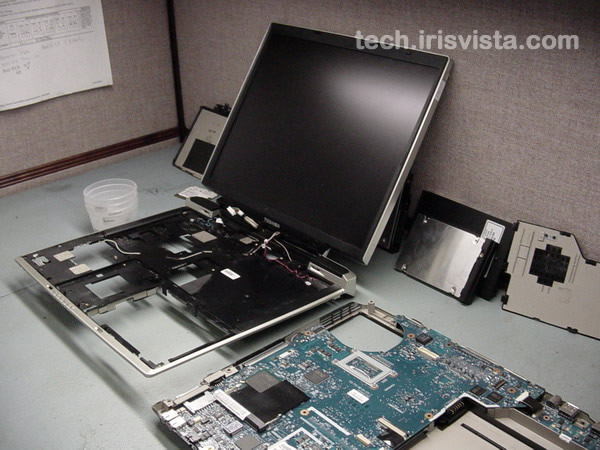
Release two more plastic latches and lift the top cover/display assembly off the base.
|
| |
|
 |
STEP 17
Remove the top cover/display assembly.
|
| |
|
 |
STEP 18
Disconnect the USB board flat cable on the system board.
|
| |
|
 |
STEP 19
Lift the system board off the base and remove it. |
| |
|
 |
STEP 20
Remove two screws securing the modem card.
Disconnect the modem cable on the system board.
Lift off the modem module.
Unlock the CPU and lift it off the socket. |
| |
|
 |
STEP 21
Remove four screws securing the PC card connector. |
| |
|
 |
STEP 22
Lift the PC card connector off the system board. |
| |
|
 |
STEP 23
Done !!!
|
| |
|
|
|