|
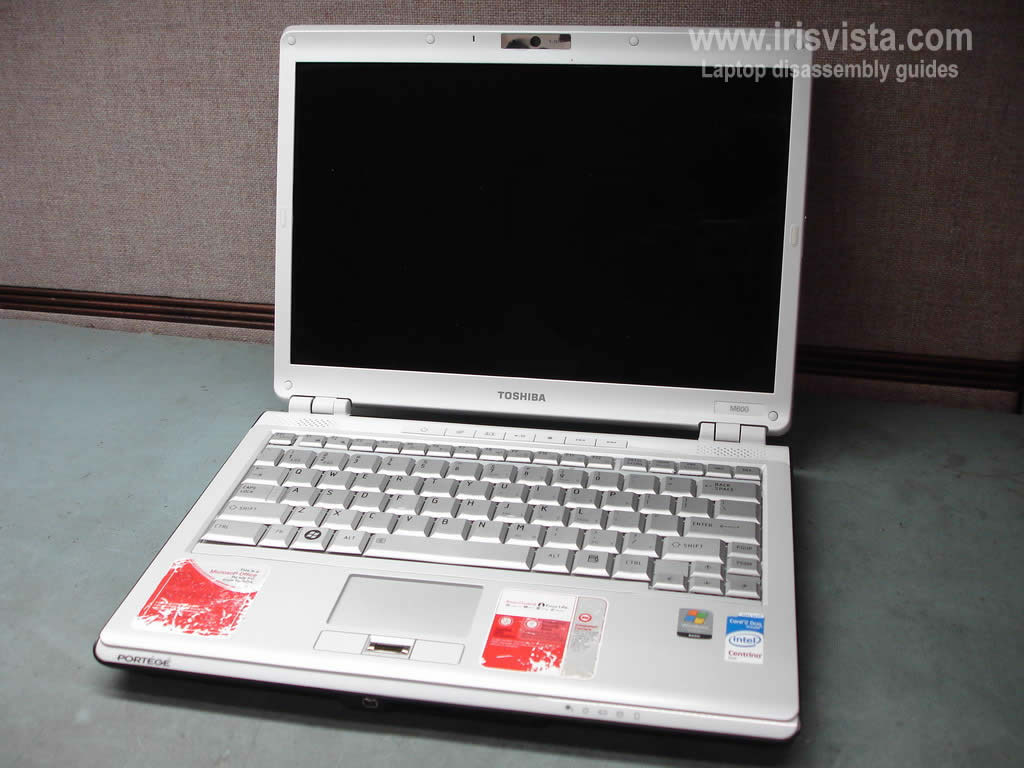
Toshiba Portege M600 keyboard removal. |
|
|
 |
STEP 1
Start laptop disassembly with removing the battery.
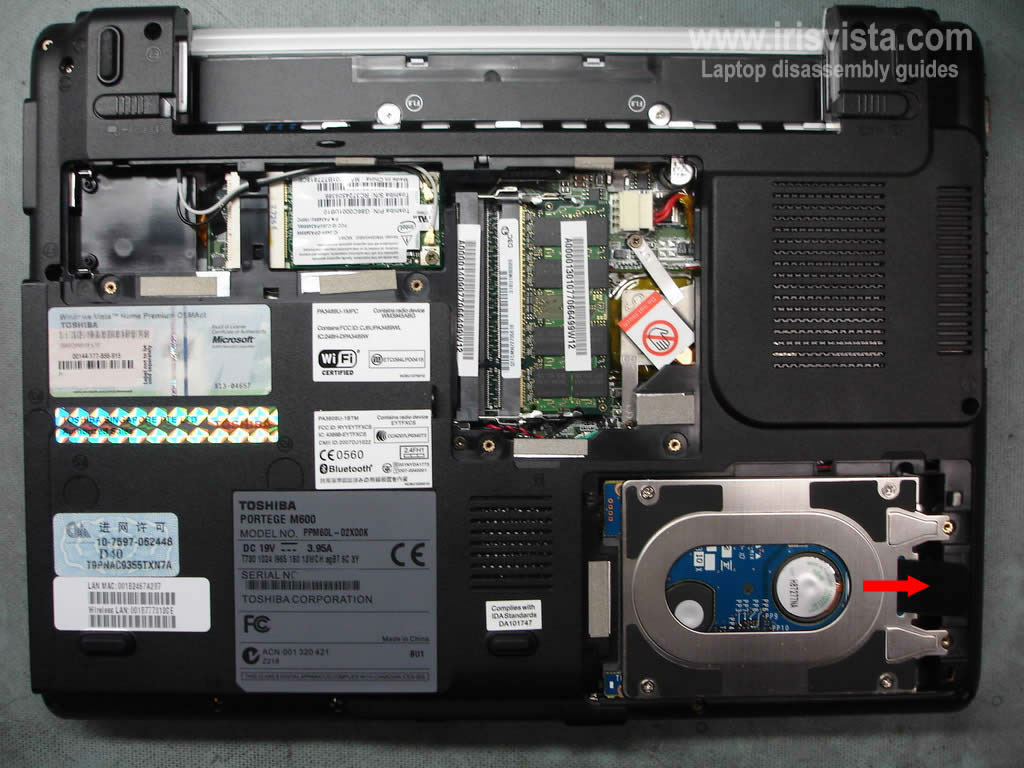
Remove six screws and then remove both the memory and the hard drive covers.
|
| |
|
 |
STEP 2
Slide the hard drive to the right and disconnect it from the motherboard.
Remove the hard drive.
|
| |
|
 |
STEP 3
Remove one screw securing the DVD drive.
Push the DVD drive away from the laptop with a flathead screwdriver.
Pull the DVD drive from the laptop and remove it.
|
| |
|
 |
STEP 4
Remove one screw seal with a sharp object. |
| |
|
 |
STEP 5
Remove two screws securing the keyboard bezel.
Turn the laptop over.
|
| |
|
 |
STEP 6
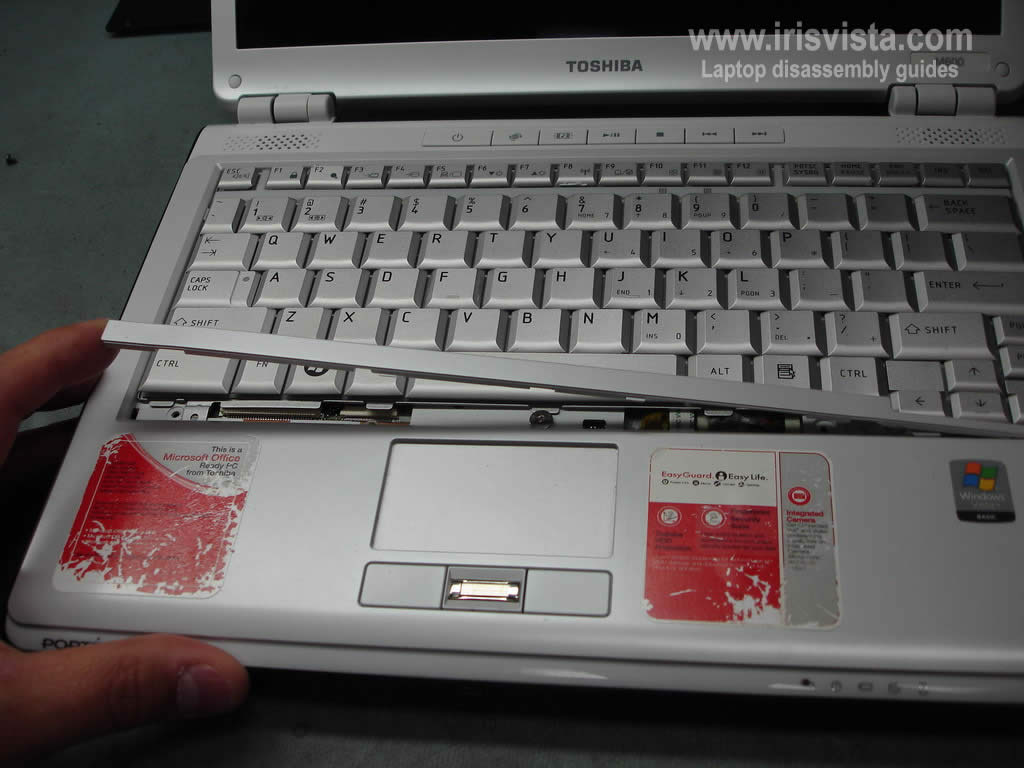
On this model the keyboard bezel is located under the keyboard.
Start removing the bezel from the left side. |
| |
|
 |
STEP 7
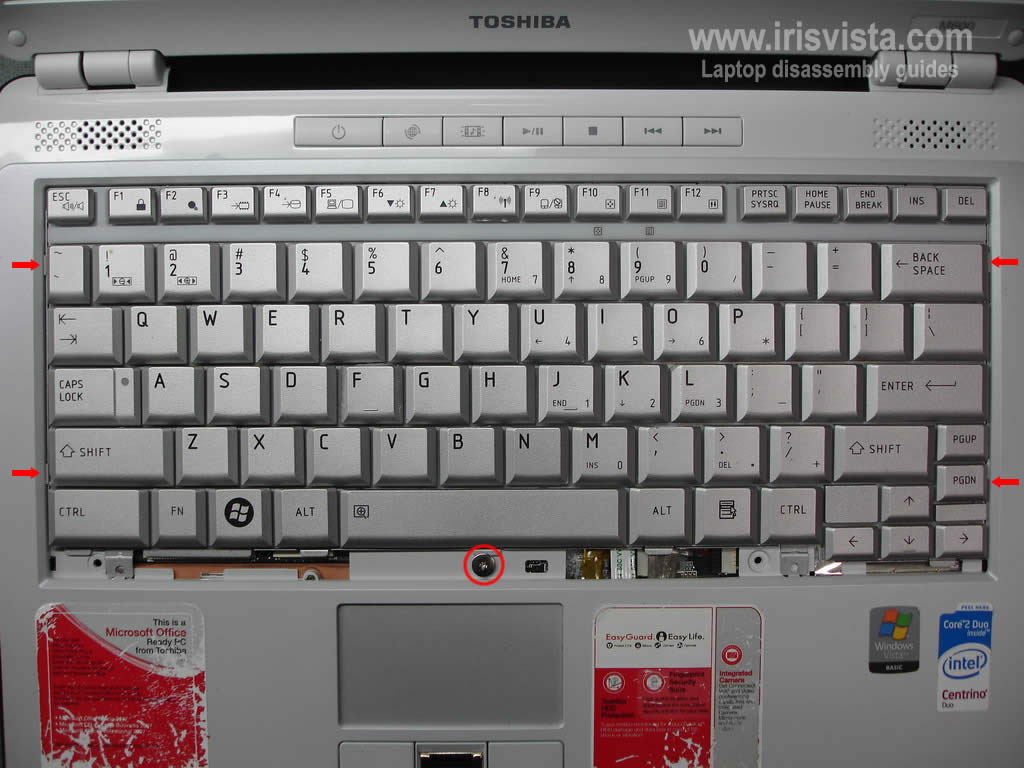
Remove one screw securing the keyboard.
The keyboard is hold in place by four plastic latches on both sides. |
| |
|
 |
STEP 8
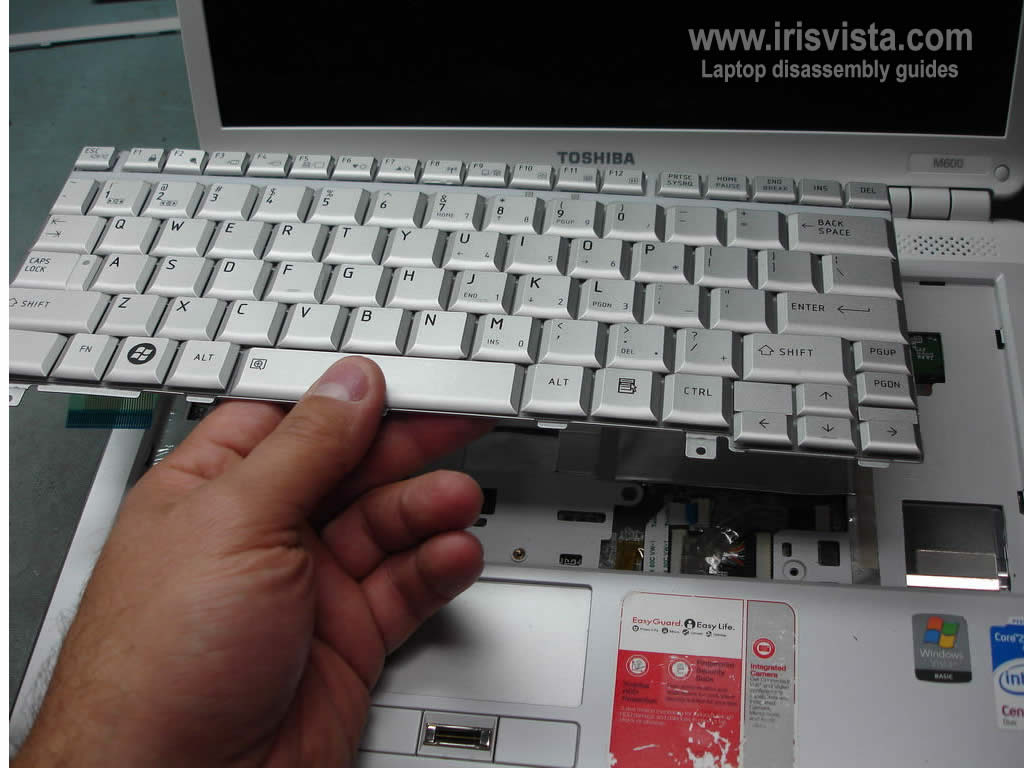
Start lifting up the keyboard.
Be careful, the keyboard is still attached to the motherboard.
|
| |
|
 |
STEP 9
Access the keyboard cable connecotr underneath.
Unlock the connector and pull the cable. |
| |
|
 |
STEP 10
Now you can remove and replace the keyboard.
By the way. This laptop is very similar to Toshiba Satellite U305. |
| |
|
|
|